

Conditional statement
It is often desirable to only execute some section of a computation graph only if a
particular condition holds. This could be as simple as a user input to the workflow
indicating the "mode A" should be run instead of "mode B", whether to scatter and gather
tasks rather than running a single multi-threaded task, or enabling an entire analysis
based on whether some analytical check passes a QC threshold. In these cases, you'll want to
reach for conditional statements (also known as if/else statements).
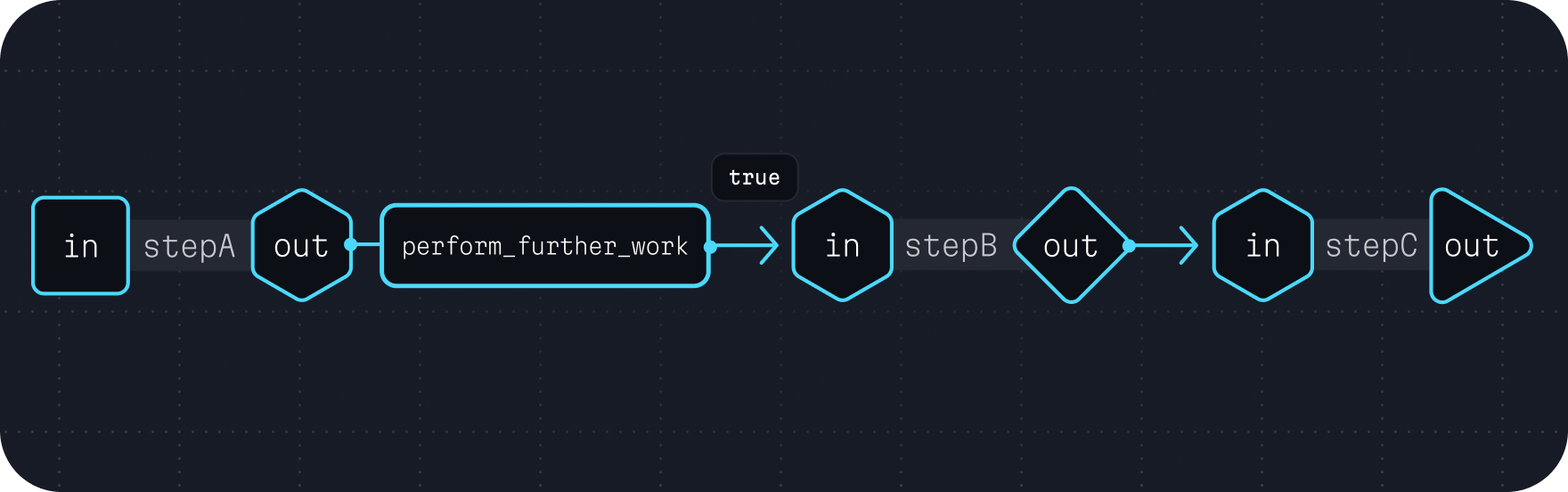
This often takes a form similar to the following example.
wdl# ... task definitions ... workflow run { input { Boolean perform_further_work = true } # Run the first task. call stepA {} # If the conditional is true, run `stepB` and `stepC`. if (perform_further_work) { call stepB { value = stepA.out } call stepC { value = stepB.out } } }
This can also take the form of evaluating outputs from prior workflow steps. For
example, if you had a task stepA that contained a Boolean is_sufficient_quality
output, you could do the following.
wdl# ... task definitions ... workflow run { # Run the first task. call stepA {} # If `stepA` determined the sample is of sufficient quality, # run `stepB` and `stepC`. if (stepA.is_sufficient_quality) { call stepB { value = stepA.out } call stepC { value = stepB.out } } }
Using else and else if
When you need to execute one branch or another based on a condition, use else.
For multiple conditions, chain else if clauses together.
wdl# ... task definitions ... workflow run { input { String mode } if (mode == "fast") { call fast_analysis {} } else if (mode == "thorough") { call thorough_analysis {} } else { call standard_analysis {} } }